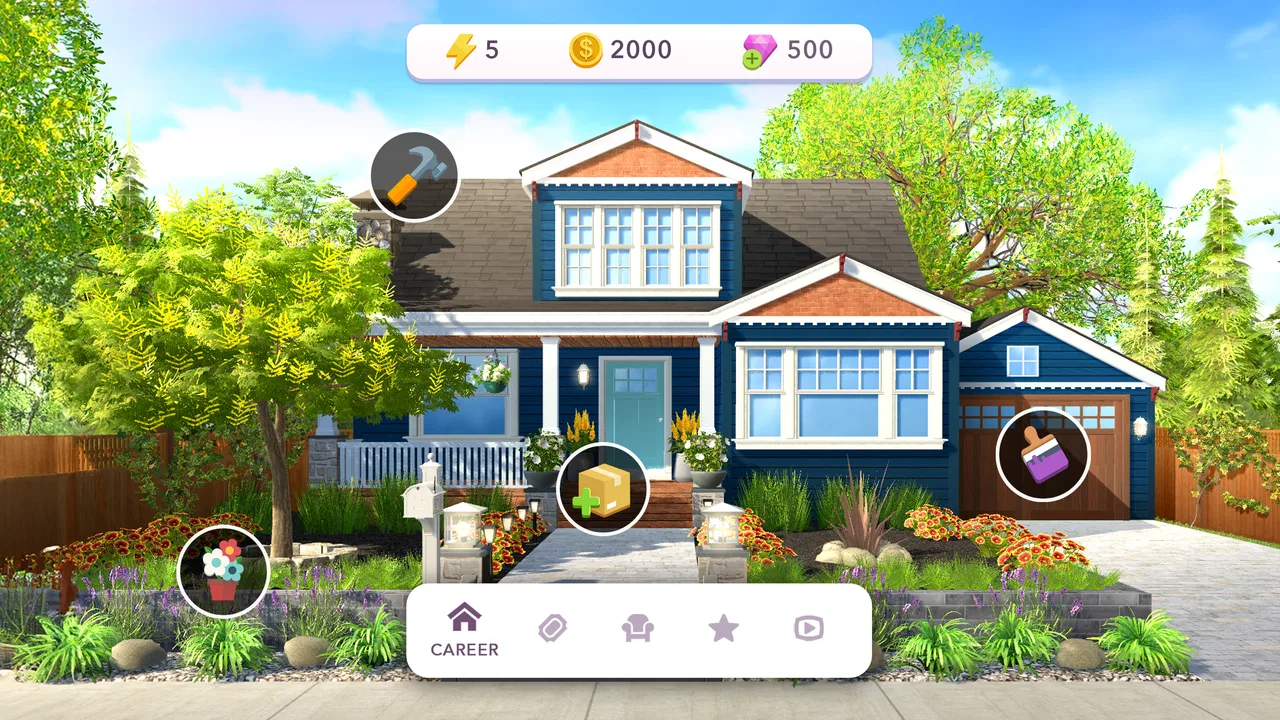
Home Design Makeover
- 4.5
- Rating
- 10.00M
- Installs
- Free
- Price

 Analysis by App-foxy
I went into Home Design Makeover expecting a light decorating game, and that is exactly where it works best. It lets me approach home renovation as a relaxed series of small decisions: choose a look, improve a room, and see the space become more attractive. The appeal is immediate because the result is visual, while the interaction is simple enough to understand without a long tutorial.
After spending time with it, though, I think the more important question is not whether it is enjoyable at first. It is whether the decorating loop still feels worthwhile once the novelty of a freshly improved room has passed. My answer is qualified but positive: this is a pleasant simulation game for players who enjoy short creative sessions, provided they are comfortable with a gradual pace and the occasional pressure to spend.
What the first week feels like
The opening experience is built around visible progress. A room begins in an unimpressive state, and each choice gives me a clear sense that I am moving toward a finished home. That transformation is the strongest part of the game. I do not need to imagine an abstract score or wait for a complicated result; the room itself shows what my decisions have accomplished.
You May Also Like

 Blood Strike: 2.5 Anniversary
Blood Strike’s Loadouts Turn Every Drop Into a Tactical Gamble
A close look at Blood Strike’s custom loadouts: how fast access to signature weapons reshapes its battle royale rhythm, rewards preparation, and narrows the gap between fights.

 Pandora - Music & Podcasts
Pandora’s Music Is Easy to Start, but Harder to Recover
Pandora’s strength is its low-effort path from a seed to a station. Its weak spot is how much confidence it asks you to place in connection, setup, and quiet recovery.

 8 Ball Pool
 Is Built on Rivalries, Rematches, and Routine
A close look at the rivalries, rematches, shared routines, and unanswered safety questions that turn a quick pool match into a persistent mobile community.

 Samsung Music
’s Quiet Strength Is Playing What You Already Own
Its reach comes less from spectacle than from dependable access to a personal library. That simplicity is both the app’s strongest retention engine and its ceiling.

 AccuWeather: Weather Radar
AccuWeather Review: A Quick, Clear Forecast for Everyday Decisions
For everyday plans, the best forecast is the one you can understand quickly. AccuWeather makes rain timing, radar, and local conditions easy to act on, with a few trade-offs.

 Hill Climb Racing
Why Hill Climb Racing Still Turns Crashes Into One More Run
A tiny car, a bumpy hill and one more upgrade: Hill Climb Racing keeps resurfacing because its simple chaos makes every near-miss feel personal.
More From Our News Desk



The controls are approachable, which makes the game suitable for casual players and for anyone who likes interior decoration without wanting a full design tool. I can pick up the game for a few minutes, make a decision, and stop after completing a small piece of work. That makes it a better fit for spare moments than for long, uninterrupted play sessions.
What I particularly like is the balance between personal taste and the game’s available choices. I am not simply tapping through a completely automatic makeover. The visual direction depends on what I select, so even a modest change can make the finished space feel more like my own. The choices are not as open-ended as a professional room-planning application, but that limitation also keeps the experience approachable.
During the first week, the sense of discovery does much of the work. New rooms and decorating decisions give me a reason to return, while the before-and-after presentation creates a satisfying rhythm. I found myself thinking about what would suit the next space rather than treating every task as identical. That is a useful sign for a game in this category: its reward is not only progress, but also curiosity about the next visual problem.
The game is free to download, and its content rating is Everyone, so it is easy to recommend as a low-pressure introduction to mobile home design. Storm8 Studios has positioned it as a simulation experience rather than a serious planning utility, and that distinction matters. I would not use it to calculate real furniture dimensions or plan a renovation. I would use it when I want a friendly, game-like way to experiment with rooms.
Why the makeover loop is satisfying
The best moment comes immediately after a room changes from tired to presentable. That payoff is simple, but it is effective because the game makes the improvement easy to read. I can compare the earlier state with the completed look and understand why the reward feels deserved.
There is also a useful emotional difference between decorating a blank room and repairing an unattractive one. A blank canvas can feel demanding, while a makeover gives me a clear starting point and a visible target. The game benefits from that structure. I am not asked to invent an entire house from nothing; I am asked to make a series of manageable improvements.
One practical tip is to slow down before confirming a choice. The first attractive option is not always the one that creates the most coherent room. I found it more enjoyable to consider the overall mood rather than selecting each item in isolation. This turns the activity from simple tapping into a small visual puzzle, even though the game remains accessible.
Another useful habit is to treat each room as a theme exercise. Instead of chasing the most eye-catching object every time, I try to keep colors and styles working together. That approach makes the final reveal more rewarding and helps prevent the rooms from feeling like collections of unrelated decorations.
Where the early excitement starts to settle
The first-week experience is generous with novelty, but novelty naturally fades. Once I understood the basic loop, the question became whether the decisions themselves remained interesting. For me, the answer depended on my mood. When I wanted a calm visual activity, the game continued to work. When I wanted deeper strategy or unrestricted creativity, it felt more limited.
This is not a criticism of the game’s intended identity. It is a reminder that Home Design Makeover is closer to a guided decorating pastime than to a detailed construction simulator. Players who want freedom to place every object, redesign floor plans, or manage a realistic renovation budget may outgrow it quickly. Players who prefer clear tasks and attractive results are more likely to stay comfortable.
Does it keep earning attention over time?
Long-term value comes from how easily the game fits into a routine. I can imagine opening it during a commute, while waiting for an appointment, or at the end of the day when I want something less demanding than a competitive game. Its short-session structure is a genuine strength because it does not require me to reserve a large block of time.
The game’s average rating is 4.5 from around 220 thousand ratings, and it has passed 10 million installs. Those figures suggest that the accessible makeover format has found a substantial audience, but they do not guarantee that every player will enjoy the same length of experience. In my view, the game is most likely to remain useful when it becomes a small habit rather than a main daily hobby.
Month to month, I would return for three reasons: the relaxing pace, the satisfaction of completing another room, and the chance to make different visual choices. I would not return expecting a completely new type of game each time. The core activity remains decorating, so the lasting appeal depends on whether that loop itself is enough for me.
This makes the game a good companion to more demanding titles, not necessarily a replacement for them. If I have already spent time with a strategy game or an action game, a few minutes of room improvement can feel refreshing. It gives me a sense of progress without asking me to react quickly or compete with anyone.
How it compares with other home-design games
Compared with a highly open-ended design app, this game is easier to start but less flexible. A dedicated design tool may offer more control over layouts, colors, dimensions, and furniture placement, while Home Design Makeover keeps the process focused on guided choices. I prefer the game when I want structure; I would choose the design tool when I need to plan a real room.
Compared with a broader life-simulation game, it puts more attention on the visual transformation itself. There is less reason to become distracted by unrelated systems, which helps the decorating theme stay clear. The trade-off is that players looking for character development, exploration, or a large social world may find the experience narrow.
It also differs from a puzzle game that merely uses decoration as a reward. Here, the room is the central object of attention, so the visual result matters more than a temporary bonus or a score screen. That focus is a strength for design-minded players, although it can make repeated sessions feel familiar once the basic pattern has become predictable.
The real maintenance burden
The maintenance burden is fairly light in terms of time, but the game still asks for regular attention if I want steady progress. Its appeal works best when I accept that progress is gradual. Trying to rush through every improvement can make the experience feel less relaxing and can draw attention to the game’s monetization more quickly.
In-app purchases range from $0.99 to $109.99 per item, which is the main point I would discuss with anyone considering long-term play. The free entry is useful for testing the game, but players who dislike waiting, resource limits, or purchase prompts should keep their expectations controlled. I would begin without spending and only reconsider after deciding whether the decorating loop still feels enjoyable on its own.
My practical recommendation is to set a personal boundary before playing. For example, I would avoid treating a purchase as a solution to impatience. If a room is taking longer than expected, I would close the game and return later rather than turning a relaxed activity into an impulse decision. This is especially important for younger players, even with an Everyone rating, because free-to-start games can still make optional spending feel tempting.
The current version is 6.7.6g, and the game requires Android 7.0 or later. For someone using an older device, checking compatibility before getting invested is sensible. On a supported phone, the main consideration is not technical complexity but whether the visual style and repeated decorating cycle match personal taste.
What can cause fatigue
The first source of fatigue is repetition. The makeover format is satisfying because it repeats a recognizable pattern, but that same pattern can become predictable. Once I know how a session will generally unfold, the emotional lift from each new room becomes smaller.
The second is limited creative control. I enjoy making choices, but I am still working inside the game’s boundaries. A player who wants to place every piece freely may feel that the game is presenting decisions rather than offering full authorship. That is not a flaw for a casual simulation, but it is a meaningful trade-off.
The third is the tension between relaxation and progression. Decorating feels calm when I focus on the visual result. It feels less calm when I start measuring the session by how quickly I can unlock or complete the next improvement. The game is more enjoyable when I treat progress as a bonus and the makeover itself as the activity.
A fourth issue is that visual preference can become a hidden barrier. If the available options do not match my taste, I may finish a room that is technically improved but not personally satisfying. My workaround is to choose the most consistent combination rather than chasing one favorite item. Coherence usually produces a better result than selecting every option that looks impressive alone.
Who will get the most from it?
I would recommend it to someone who enjoys interior-design videos, before-and-after transformations, and simple simulation games. It is also a good choice for players who want a noncompetitive activity that can be played in short bursts. Someone who likes making aesthetic decisions but does not want to learn complicated controls should feel comfortable quickly.
It can work well as a shared casual activity too. A family member or friend can look at the choices and offer an opinion, turning a short session into a small conversation. That use case is more enjoyable when the goal is to compare tastes rather than prove that one design is objectively correct.
I would be more cautious about recommending it to players who need deep systems, constant novelty, or complete control. It is also not the right choice for someone who wants a practical interior-planning application. The game can inspire ideas, but it should not be treated as a reliable guide for real measurements, construction decisions, or shopping.
For players who are sensitive to in-app purchases, the free version should be approached deliberately. The game is worth trying because the basic concept is easy to understand, but long-term satisfaction depends on resisting the feeling that spending is necessary to maintain momentum. If that pressure ruins the mood, a paid game with a fixed price may be a better alternative.
Small habits that improve the experience
I get more from the game when I play in short, intentional sessions instead of leaving it open for a long stretch. A few completed decisions can feel rewarding; extended play makes the repeated structure more noticeable. This is one of those games that benefits from being part of a routine rather than becoming the entire routine.
I also recommend judging a room after all its major choices are visible. An individual option can look ordinary on its own but work well within the finished setting. Making decisions too quickly based on one object can lead to a room that feels visually uneven.
Finally, I would use the game as a way to explore preferences rather than as a test of design skill. I noticed that I enjoyed the process more when I accepted that some rooms would not match my personal style perfectly. The point is to make a convincing transformation within the game’s choices, not to recreate a private interior-design vision with total accuracy.
My long-term verdict
After the initial excitement fades, Home Design Makeover still has a place on my phone, but that place is specific. I see it as a calm, occasional simulation game rather than a title I would play intensely every day. Its strongest qualities are the readable visual progress, approachable decisions, and ability to fit into small gaps in the day.
Its weaknesses are equally clear: the core loop can become repetitive, creative freedom is limited compared with dedicated design tools, and optional purchases can affect how comfortable the long-term pace feels. None of those points cancels out the enjoyment, but they should shape the way I approach it.
Storm8 Studios has made a game that understands the pleasure of seeing an unattractive space become inviting. For me, that is enough to justify keeping it installed when I want a gentle creative break. I would recommend starting for free, playing without rushing, and deciding only later whether the recurring value is strong enough for personal spending.
My final recommendation is simple: choose this game if guided makeovers and short relaxing sessions sound appealing. Skip it if you need unrestricted building, serious design accuracy, or a constantly changing challenge. It earns lasting space as a small, low-pressure habit—not as a complete home-design simulator or an endlessly deep game.
FAQs for Home Design Makeover
01What is Home Design Makeover and how does it work?
Home Design Makeover is a mobile simulation game where players take on the role of an interior designer. The game combines match-3 puzzle mechanics with home makeover tasks. Players complete puzzles to earn coins and resources, which are then used to purchase furniture and decor for various design projects. The goal is to transform spaces according to client requests and personal creativity.
02Is Home Design Makeover free to play?
Yes, Home Design Makeover is free to download and play on both Android and iOS platforms. However, the game includes in-app purchases and ads. Players can buy additional coins or resources to expedite their progress, but it is possible to enjoy the game without spending money by progressing at a slower pace.
03What types of design projects are available in Home Design Makeover?
In Home Design Makeover, players will encounter a variety of design projects ranging from living rooms and kitchens to bedrooms and outdoor spaces. Each project comes with unique challenges and client preferences, offering a diverse array of styles and themes to explore. Completing these projects successfully requires creativity and strategic use of resources.
04How challenging are the puzzles in Home Design Makeover?
The puzzles in Home Design Makeover start off relatively easy but become progressively more challenging as players advance. They require strategic thinking and planning to complete, especially in higher levels. The match-3 puzzles must be solved to earn the resources needed for design tasks, combining fun puzzle-solving with creative design elements.
05Does Home Design Makeover require an internet connection to play?
Home Design Makeover can be played offline, allowing players to enjoy the game without an internet connection. However, certain features, such as in-app purchases and some updates, require an internet connection. Playing online also allows players to access new design challenges and synchronize progress across multiple devices.
Pros
- Intuitive interface for easy navigation.
- Diverse design elements and styles.
- Regular updates with new content.
- Challenging puzzles enhance gameplay.
- Offline mode available for flexibility.
Cons
- In-app purchases can be pricey.
- Energy system limits play time.
- Ads may interrupt gameplay.
- Some designs lack customization.
- Occasional bugs in puzzle levels.

Home Design Makeover
Gallery